


Arrow 3D Puzzle
4.960.00 Reviews
App Specs
- Version
- 1.4.0
- Updated On
- License
- Free
- Downloads
- 10,000+
- Developer
- UniRise Studio
- Categories
- Trivia
- Platform
- Android
Screenshots
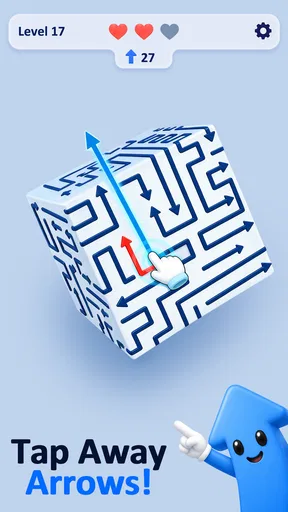
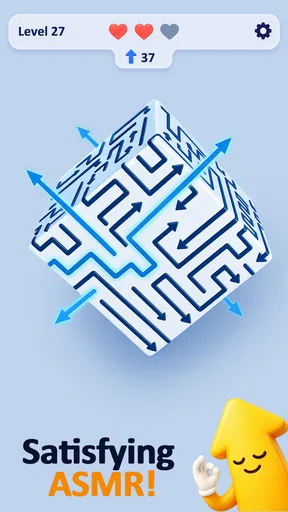
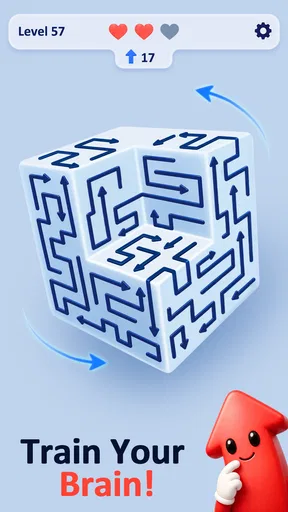
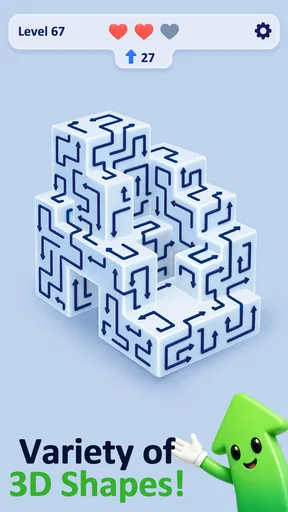
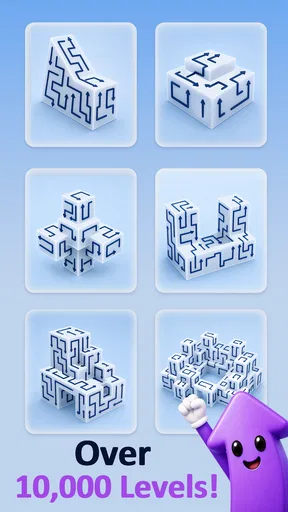
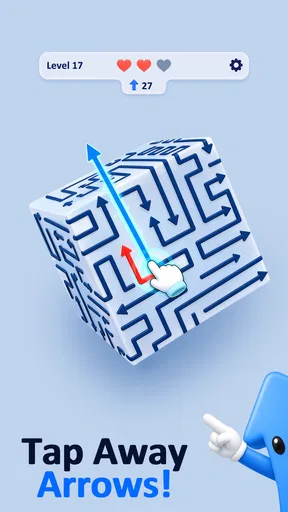
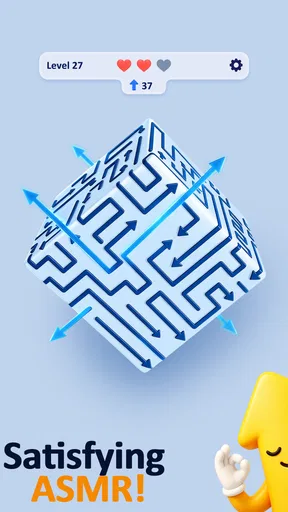
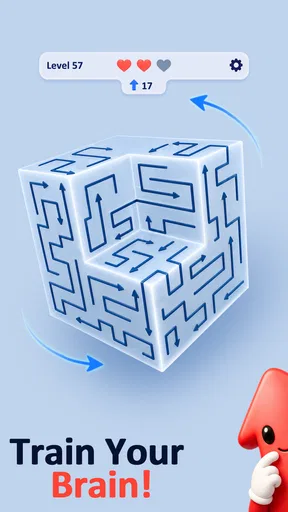
 Analysis by AppCompare
I like puzzle games that let me understand the challenge at a glance, then make me rethink what I thought I saw. Arrow 3D Puzzle takes that kind of small, satisfying problem into three dimensions: you turn a shape, work out how its arrows relate to the space around it, and try to clear the way one move at a time. It is a trivia-category game from UniRise Studio, though the appeal here is less about recalling facts and more about spotting patterns and planning.
What to expect from the puzzles
The central idea is easy to grasp: a 3D arrangement contains arrows, and your task is to free them by working out which ones can move without being blocked. Rotating the shape matters because a view that looks crowded from one angle may make the useful route obvious from another. The challenge is not simply tapping every arrow; it is understanding how the arrangement behaves from different sides.
That makes the game approachable for a first-time player. You do not need puzzle-game vocabulary or a long explanation before you can begin thinking through the board. The store description is brief, but the premise itself gives you a clear first goal: inspect the shape, find an arrow with a possible path, and see what changes when it leaves.
I would approach the opening puzzles as visual warm-ups rather than tests of speed. Give yourself a moment to rotate the structure and trace an arrow’s direction before acting. When a route looks uncertain, checking another angle is more useful than repeatedly tapping at the same spot. That simple habit helps the 3D element feel like a tool instead of an obstacle.
The game is free, has an Everyone age rating, and has reached over ten thousand installs. It holds a 4.9 average from around 850 ratings, a strong response for a compact puzzle game. Those figures are encouraging, but they do not mean every player will enjoy its particular kind of concentration. If you want trivia questions, word clues, or a story to follow, this is a different sort of diversion.
Getting started without overthinking it
After installing, I would keep the first session simple: open a puzzle, learn how the shape rotates, and pay attention to what an arrow’s direction tells you. There is no need to develop a grand strategy before making a first move. The most reassuring way in is to treat each board as a small spatial problem and let the result of one clear action teach you how the pieces interact.
A useful first routine is to scan the outside of the shape before focusing on arrows tucked behind other parts. From there, rotate the structure to check whether a promising-looking route is genuinely open. This is a practical way to avoid a common early mistake: judging a path from one face and assuming the rest of the 3D arrangement cannot affect it.
Worth Reading Before You Choose

Flipboard Shows What News Apps Must Do Beyond the Feed

Switching to Android Auto Means Rethinking Your Driving Routine

Google Calendar Makes a Crowded Week Easier to Manage

Ludo King Makes the Most of the Minutes Between Plans

Baby Panda World Brings Quick Play to Modern Phones, but Its Game Library Feels Busy

ESPN’s Live Game View Makes Following Close Games Easier
When you find an arrow that appears clear, choose it as your first meaningful action. Watch how its removal changes the remaining layout, then pause and rescan instead of rushing to make several moves from your original plan. Clearing one piece can reveal a route that was hard to see before, so the board is worth reading again after each change.
This approach also makes a failed guess more useful. If an arrow does not behave as you expected, take it as a cue to inspect the angle and the surrounding structure rather than as proof that the whole puzzle is confusing. In a game built around rotation and blocked paths, a quick visual check can be more valuable than trying to memorize the board all at once.
Small habits that make the 3D view easier
One non-obvious tip is to separate “where the arrow points” from “whether it has room to go.” Those are related questions, but not the same one. First identify its direction, then rotate the shape to inspect the space along that route. This two-step check can keep you from mistaking a visible arrowhead for an available move.
Another useful habit is to look for changes in access, not just changes in the number of arrows. Removing one piece may open a line of sight or movement for another, so the best next choice can be the arrow that makes later decisions clearer rather than the one that looks easiest in isolation. Thinking in terms of what a move unlocks gives the puzzle more depth without turning it into a complicated planning exercise.
It can also help to use rotation deliberately. Instead of spinning the shape at random, turn it to answer a specific question: Is this route blocked from the opposite side? Does another arrow sit directly in the path? A purposeful check makes the 3D presentation easier to read and reduces the feeling that you are searching blindly.
These are small adjustments, but they change the rhythm of play. I would not treat the game as a test of quick reactions. The satisfying part is noticing a clean sequence, making a move, and seeing the remaining structure become more legible. If you are playing in a short break, that measured pace is a strength; if you want constant action, it may feel subdued.
Where new players may get stuck
The main source of confusion is that a flat screen has to communicate a solid object. An arrow that seems unobstructed in the current view may still be part of a more crowded arrangement, while a route hidden from one angle can look obvious after rotation. The answer is not to guess more quickly, but to inspect the object from enough perspectives to understand the path.
There is a trade-off here. Rotation is central to the puzzle’s identity, but it also asks you to build a mental picture of a shape that is not always visible all at once. Players who enjoy spatial reasoning will likely see that as the point. Anyone who prefers a board that can be read instantly in two dimensions may find it takes patience to settle into the game.
Another possible friction point is the temptation to move every arrow that looks available. A move can be legal-looking yet unhelpful if it leaves the rest of the puzzle harder to interpret. I recommend checking whether removing it reveals a useful route or simply changes the arrangement without helping your next decision. That extra pause keeps the game thoughtful rather than mechanical.
If you feel stuck, reset your attention before assuming you need a complicated solution. Pick one arrow, follow its direction through the shape, then rotate to inspect the path. Repeat that check for a different candidate. This is a simple recovery workflow for a visual puzzle: narrow the question, change the viewpoint, and compare possible moves instead of trying to solve the entire object in your head at once.
How it fits into a puzzle routine
Compared with familiar trivia games, this is not about answering a stream of general-knowledge prompts. Compared with word puzzles, there are no clues to parse or letters to rearrange. Its closest appeal is to compact logic and spatial puzzles, where a small set of pieces has to be understood and cleared through careful choices. That makes it a better pick for someone who likes visual reasoning than for someone looking to learn facts or compete on recall.
For an everyday use case, I can see it working during a quiet wait: open a board, examine the shape, and try to make one deliberate move before putting the phone away. The game’s premise lends itself to that kind of focused pause because the challenge is self-contained in the arrangement in front of you. I would not promise that every session will fit neatly into a particular length, but the basic loop is easy to return to when you have a little attention to spare.
It is also a reasonable choice for a shared screen if one person enjoys explaining how they are reading the object while another suggests which arrow to test. The puzzle gives you something concrete to discuss—direction, obstruction, and what might open next—without requiring specialized knowledge. On the other hand, players who want a lively party game or a strong social competition should look elsewhere; this is best approached as a personal logic challenge.
The current version is 1.4.0 and the stated minimum operating-system requirement is version 7.0. That makes it useful to check compatibility before installing on an older device. UniRise Studio has kept the concept focused on the arrow-and-rotation puzzle rather than presenting it as a broad collection of trivia modes, so I would choose it for that specific mechanic rather than expecting a varied quiz experience.
Who should keep playing—and who should skip it
I would recommend it to players who enjoy turning a problem around, spotting a route, and learning from how the board changes after a move. It can suit casual puzzle fans who want something more spatial than a word search, as well as experienced logic players looking for a clear visual challenge. The best fit is someone comfortable slowing down long enough to inspect a shape instead of tapping through it.
I would skip it if your ideal mobile game is fast, noisy, story-heavy, or built around trivia answers. It may also be a poor match if three-dimensional layouts regularly frustrate you, because changing viewpoint is not a side activity here; it is part of how the puzzle works. A straightforward two-dimensional logic game would be a better alternative for someone who wants every relevant piece visible at once.
For a first session, my advice is to choose one promising arrow, rotate the structure to verify its path, and make that single move. Then look again before choosing the next one. That gives you a concrete first success and teaches the core rhythm without requiring prior experience. The key is to use rotation to answer a question, not merely to spin the puzzle.
Overall, I find Arrow 3D Puzzle appealing when I want a quiet, hands-on logic challenge with a clear visual identity. Its strongest point is the way a change of perspective can turn an uncertain board into a solvable one; its main limitation is that the same 3D reading can slow down players who prefer instant clarity. If that trade-off sounds enjoyable, this free game is an easy one to try and judge by its first few puzzles.
Pros
- Simple controls make it easy to pick up and play.
- Short levels suit quick puzzle sessions.
- No fast reactions are required to solve the puzzles.
- The 3D presentation adds a spatial element to each challenge.
- A useful option for players who enjoy casual brain teasers.
Cons
- Later puzzles may feel repetitive if you play for long sessions.
- The 3D layout can make some pieces harder to inspect.
- Players seeking a story or varied game modes may find it limited.
- Some puzzles may require trial and error rather than clear clues.
- Ads or optional purchases may interrupt the free experience.
FAQs for Arrow 3D Puzzle
What is Arrow 3D Puzzle?
Arrow 3D Puzzle is a casual puzzle game built around a simple visual challenge: examine a three-dimensional arrangement of arrows and remove them in a safe order. Each move depends on the direction an arrow points and whether its path is clear. The central appeal is figuring out how the pieces fit together, rather than reacting quickly, so it can suit players who enjoy short, thoughtful levels.
How do you play Arrow 3D Puzzle?
You inspect the arrow arrangement and tap arrows that can move out without being blocked by other pieces. If an arrow’s route is obstructed, you need to clear the blocking arrows first and reconsider the order of your moves. Levels generally become more demanding as the layouts grow more complicated. Take a moment to rotate or inspect the 3D view, where available, before tapping if you want to avoid unnecessary mistakes.
Is Arrow 3D Puzzle free to download, and does it include ads or in-app purchases?
The game may be available to download without an upfront payment, but free-to-play puzzle games can include advertising, optional purchases, or both. These details can differ between the Android and iOS editions and may change with updates or regional availability. Check the game’s current store listing for its price, in-app purchase information, and content disclosures before installing, especially if you plan to let a child play.
Can I play Arrow 3D Puzzle offline?
Whether Arrow 3D Puzzle works without an internet connection can depend on the version and on features that need to contact the game’s servers. Basic puzzle levels may be playable offline in some editions, while advertisements, rewards, cloud saves, or other online features may require a connection. If offline play matters to you, check the store description and test the game in airplane mode after downloading rather than assuming every feature will remain available.
Is Arrow 3D Puzzle suitable for children, and what should I check before downloading?
The arrow-clearing concept is generally approachable, but suitability depends on a child’s age, patience, and comfort with visual puzzles. Before downloading, review the age rating, privacy information, advertising disclosures, and any in-app purchase options on the relevant app store. Also check whether the game requests permissions that seem unnecessary for a puzzle title. These details can vary by platform, region, and app update, so use the current listing as your guide.


